Before the exam
Please note
Always remember to register for your exam in Ladok. If you have previously used an app, it will no longer work. If you are unable to log in to Ladok, you will need to change your password or contact tentamen@mau.se.
A digital ID using the BankID app is not an approved form of identification. You can find more information on approved forms of identification on this page.
How to register
Register for an on-campus written exam by logging into Ladok. The registration period opens 21 days before the exam and closes again seven days before the date of the exam. The same applies for re-sits. If you do not register on time, you will not be able to take the exam and will have to wait until the next opportunity.
Log in to Ladok using your MauID (computer identity) and password. Find your exam under the tab ‘Examinations’. When you confirm your registration, you will
Note that you will not get any email reminders of your exam. As a student, you are obliged to keep yourself updated about the course schedule and register for exams according to University's procedures. If you are unable to attend, you need to unregister for the exam no later than seven days before the exam date.
Taking two examinations at the same time
If you wish to take two examinations at the same time, you must register for both of them in Ladok in accordance with the applicable rules. After you have registered, you must send a message about this to the examination administration. Include your personal identity number, course codes and the dates you wish to take the examinations.
Students from previous semesters
If you want to register for a written exam and are registered on the course from a previous semester, you need to contact the Examination Administration by using our online form within the registration period to register for the exam.
Contact the Examination Administration
Problems with registration?
If you are having difficulties registering in Ladok, contact the Examination Administration through the Service Portal. Make sure to get in touch no less than seven days before the examination date. Log in using your MauID.
Students from other higher education institutions
Unfortunately, we are unable to allow students from other higher education institutions to sit their exams at Malmö University. Please contact the learning centre in your municipality to find out if they offer students from other educational institutions the opportunity to take exams there.
Check the exam schedule
You will find your examination schedule in TimeEdit. In TimeEdit, you can view the full schedule for all components of your programme, as well as a separate schedule showing only on-campus written examinations.
Schedules: How to log in to TimeEdit
The date and time of your examination can be found in your course schedule on Canvas. The examination room will be announced on site.
Things to know before the exam
- You must bring one of the following: a valid photo ID that shows your personal identity number, a Swedish or foreign passport, Swedish driving licence, Swedish ID card or ID card issued within the Schengen area. If your ID has been stolen or lost, a police report no more than three months old is also acceptable, alongside a population registration certificate from the Swedish Tax Agency. Please note that this must be presented in paper form.
- If you are registered to take a written exam anonymously, you must make a note of your code, and bring this to your exam. You can locate your code in Ladok.
- Only approved aids are allowed in the exam hall. If you need earplugs, only those provided by the Examination Administration are allowed.
Download the rules for students sitting on-campus written exams (pdf)
Special needs
- If you have a protected identity, it's important that you contact the Examination Administration in good time before the exam. Please bring the confidentiality certificate that you received from the University. If you haven't received this, you must contact us directly after registration.
- If you are diabetic and need to bring your medicine or a medical device into the exam hall, please contact the Examination Administration directly after registration.
- If you use hearing aids, please contact the Examination Administration directly after registration.
- If you need to nurse you child during your exam, it's important that you contact the Examination Administration in good time beforehand. During the exam your baby must remain outside the exam hall together with another guardian. When necessary, you may leave the room, accompanied by a female invigilator, to nurse the child.
Digital written exams – additional info
- Check that you can sign into your MauID. Make sure to memorise your computer ID and password, or write them down and bring them to the exam. If you do not have an active MauID, you must contact the Exam Administration well in advance of your examination.
- Take a demo digital exam to familiarise yourself with the format. Follow the links further down the page.
- A computer and keyboard will be available at your seat in the exam hall.
If you need learning support
Students who have a lasting disability such as dyslexia, ADHD or a visual impairment can apply for learning support based on their individual needs.
If you are entitled to learning support during exams (for instance access to a computer or more time to take the exam), you must register this in Ladok no later than seven days before the exam.
- When you register for the exam, you will see a list of support options you can choose from. Select the adjustments you need for your exam.
- If you have already registered and want to add support, you can do so by clicking on ‘Show more’ and selecting ‘Apply for support’.
- You can see what support you have registered for under ‘Show more’. There you can also see whether your support has been approved or not.
- You will receive an email when your support has been processed for the exam.
If you have any questions, you are welcome to contact the Examination Administration. Make sure you include
- your name
- your personal identification number
- the name of your course, and
- the date and time of your exam.
Contact the Examination Administration
Separate room/smaller group
If you are to take your exam in a separate room or in a smaller group, you will receive a confirmation email stating the room number. The email will be sent from the Examination Administration 3–4 days before the exam. They will inform your lecturer where you will be taking the exam. Please show the document that certifies your disability to the examiner.
Permanent disability
If you have a permanent disability such as dyslexia, ADHD or impaired vision, you can apply for special learning support based on your individual needs.
Exam hall: Kranen
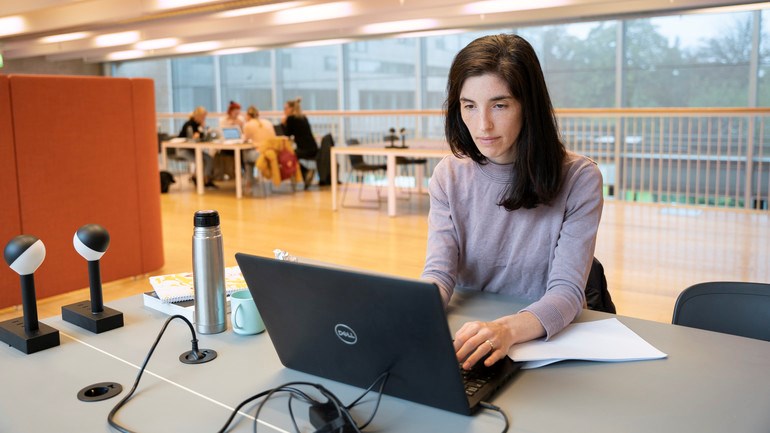
On-campus written exams take place in Malmö University’s exam halls in Kranen. Kranen is suited for both paper exams and digital exams.
Your schedule will state where your exam will take place. Written exams in Kranen are marked 'KR:tentasal 1-6' in KronoX. When you arrive at the building on the day of the exam, you will be told which room your exam is being held in.
Kranen is open to students 45 minutes before the exam starts and for another 45 minutes after the exam has started.
Storage lockers in Kranen
You are not allowed to bring personal belongings, such as wristwatches, outerwear, bags, and electronic devices (such as mobile phones and fitness trackers) into the exam halls. Storage lockers are located outside the exam halls in Kranen.
The lockers are opened and closed using the same four-digit pin code that you select upon arrival.
The lockers are 40 x 40 x 40 cm in size. All personal belongings must be able to fit into these lockers.
Deregister for the exam
If you are unable to attend, you need to deregister for the exam no later than seven days before the examination date.
Fees
- If the exams are to be sent via email, the fee is calculated based on the number of files. The first nine files are free and a fee is charged from the tenth file. The fee for the tenth file is SEK 125. If you want to order more than ten files, all subsequent files cost SEK 5 per file.
- If you order paper copies, the fee is calculated per page. The first nine pages are free and the fee is charged from the tenth page. The fee for the tenth page is SEK 50. If you want to order more than ten pages, all subsequent pages cost SEK 2 per page. Postage and any other postal charges will be added if the exam is to be sent by post.